 XDEGENDocs
Introducing XDEGEN
XDEGEN is a Telegram trading bot built for NEAR. Paste a token, tap buy, and the trade is on-chain in seconds, across as many wallets as you like.
XDEGEN finds the best price across Rhea and Rhea DCL pools for you, including freshly launched launchpad tokens that are not indexed anywhere yet. You keep full control of your wallets: export your keys at any time.
What you get
.near name for any wallet.Ready? Open @XDEGENPRO_Bot on Telegram, tap Start, then follow Getting started.
Fees
One simple fee on successful trades. Nothing to subscribe to, no fee on deposits or withdrawals.
| What | Cost | Notes |
|---|---|---|
| Buy or sell | 0.85% | Taken only when the trade succeeds. Failed trades are free. |
| Limit orders, TP, SL | 0.85% | Same fee, only when the order fills. |
New .near wallet | 0.02 NEAR | One-time, plus about 0.01 NEAR of network gas. Charged only after the name is created. |
| Deposits, withdrawals, token transfers | Free | You only pay NEAR network gas. |
| NEAR network gas | ~0.002 NEAR | Per trade, paid to the network. The first trade of a token in a wallet also pays about 0.0025 NEAR of token storage. |
Why keep a little extra NEAR
NEAR temporarily holds about 0.11 NEAR of gas while a trade runs and refunds almost all of it right after. Keep around 0.12 NEAR in a wallet so it can always sell. When you buy with max, XDEGEN automatically keeps 0.02 NEAR aside so the wallet is never stuck.
Part of every fee comes back to you as cashback, from 5% up to 25% depending on your trading volume.
Rewards
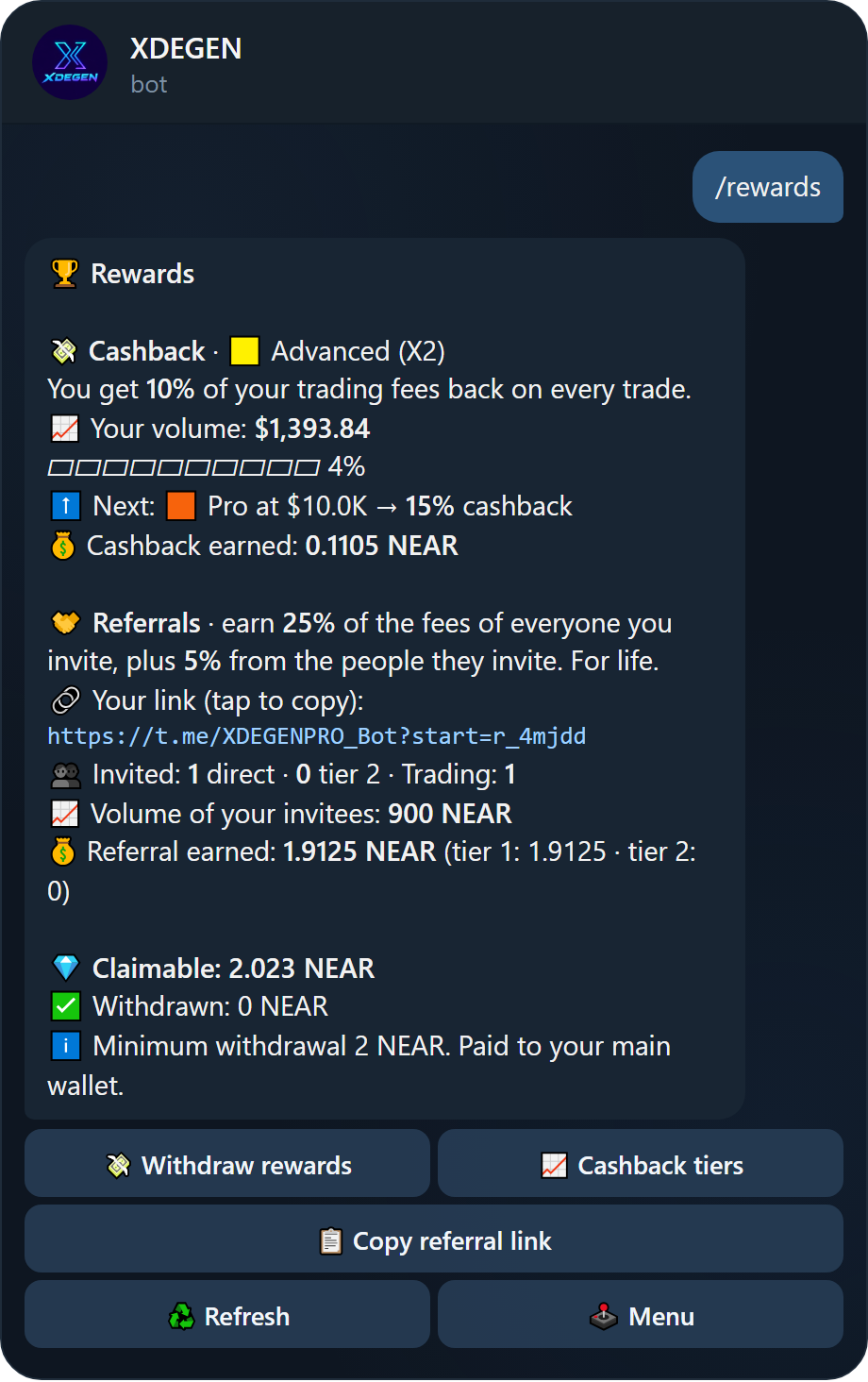
Two ways to earn: cashback on your own trades, and a lifetime share of the fees paid by the people you invite. Both go into one rewards balance you can withdraw.
/rewards.Cashback tiers
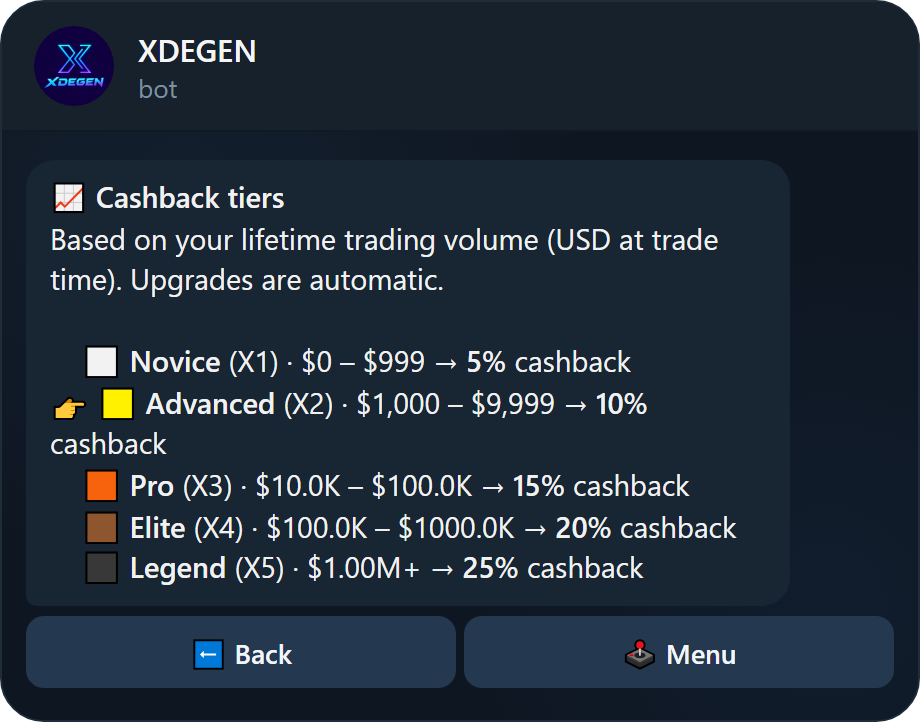
Every trade pays part of its fee back to you. Your tier depends on your lifetime trading volume in USD (valued at the time of each trade), and upgrades happen automatically. The bot sends you a message when you level up.
| Tier | Lifetime volume | Cashback |
|---|---|---|
| ⬜️ Novice (X1) | $0 and up | 5% of fees |
| 🟨 Advanced (X2) | $1,000 | 10% |
| 🟧 Pro (X3) | $10,000 | 15% |
| 🟫 Elite (X4) | $100,000 | 20% |
| ⬛️ Legend (X5) | $1,000,000 | 25% |
Referral program
- Tier 1: earn 25% of the trading fees of everyone who joins with your link, for life.
- Tier 2: earn another 5% from the people they invite.
- Your personal link is on the Rewards screen (tap it to copy) and on every PnL card you share.
- Only new users count: someone who already used the bot cannot be re-attributed.
Running a community or channel? Ask the team about a KOL rate, a custom referral share and a custom link code.
Withdrawing rewards
- Open 🏆 Rewards and tap 💸 Withdraw rewards.
- Check the amount and the receiving wallet (your main wallet), then tap ✅ Confirm.
- The rewards arrive in your wallet and are converted to native NEAR automatically.
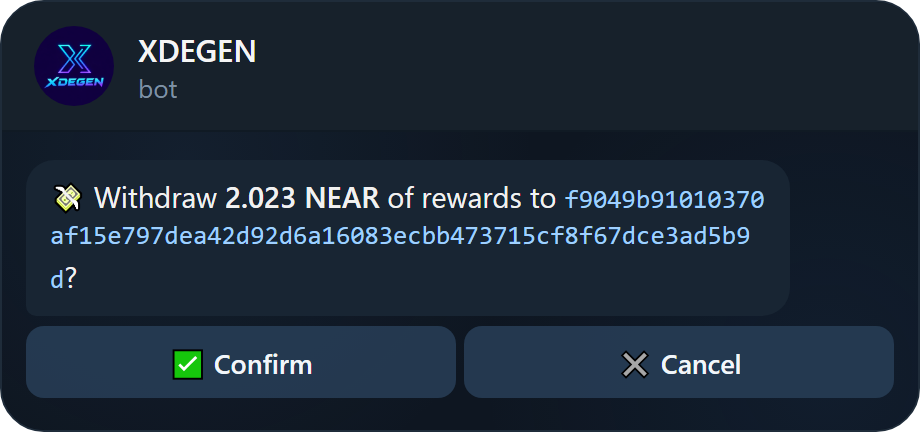
The minimum withdrawal is 2 NEAR. Larger withdrawals are reviewed by the team before they are sent; the bot tells you when yours is on its way.
Safety & security
Your wallets hold real money, so XDEGEN is built to protect them first.
How your keys are protected
- Encrypted at rest. Every private key is encrypted with AES-256-GCM and only decrypted in memory for the moment it signs a transaction.
- Backed up in several places. Encrypted wallet backups are written to multiple separate disks, sealed with an offline recovery key, so a wallet can never be lost to a single failure.
- Private chats only. The bot refuses to work in groups, so nothing about your wallets appears where others can read it.
- Imports are wiped. When you import a key or seed phrase, the bot deletes your message right after reading it.
- Exports self-destruct. An exported key is shown behind a spoiler and deleted automatically after 60 seconds.
- Removing is not destroying. Removing a wallet from your list keeps its key in the backups; re-import the key to bring it back.
What you should do
Never share a private key or seed phrase, not even with admins. Nobody from the team will ever ask for it.
Only use the official bot @XDEGENPRO_Bot. Check the username before depositing.
- Export and store your keys offline if you keep large balances.
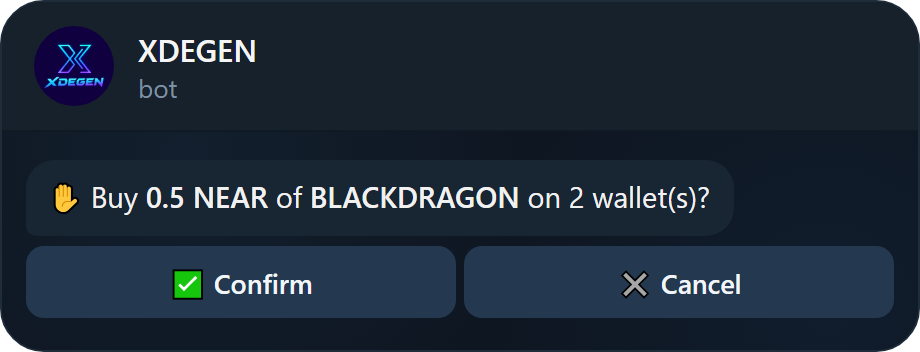
- Turn on ✋ Confirm trades in Settings if you want a confirmation step before every buy and sell.
- Use a stop loss on volatile tokens (see Limit orders).
Supported DEXes & routing
XDEGEN trades on NEAR mainnet and routes every order to the best price available.
| Venue | What is covered |
|---|---|
| Rhea (classic pools) | Every pool with liquidity, refreshed live before each quote. |
| Rhea DCL (concentrated liquidity) | All running pools, every fee tier (0.01%, 0.04%, 0.2%, 1%). |
| Launchpads | Tokens paired with a launchpad base token such as NEARLY are priced and traded through that token. |
How a route is picked
- Direct routes: NEAR ↔ token in any pool that holds both.
- 2-hop routes: through USDT, USDC or RHEA when that gives more tokens for your NEAR.
- Brand-new tokens: tokens launched minutes ago are found by probing the DCL fee tiers directly, before any indexer lists them.
The token panel shows the venue it priced from, for example Rhea #4276 (0.3%), together with liquidity so you can judge how large a trade the pool can take.
What you can paste
A contract id (blackdragon.tkn.near, nearly-993927.nearlytrade.near) or a link from Nearblocks, Rhea, Pikespeak or Dexscreener. The bot pulls the contract out of the link for you.
Getting started
From zero to your first trade in about a minute.
Open this link: https://t.me/XDEGENPRO_Bot
Or search for @XDEGENPRO_Bot in Telegram.
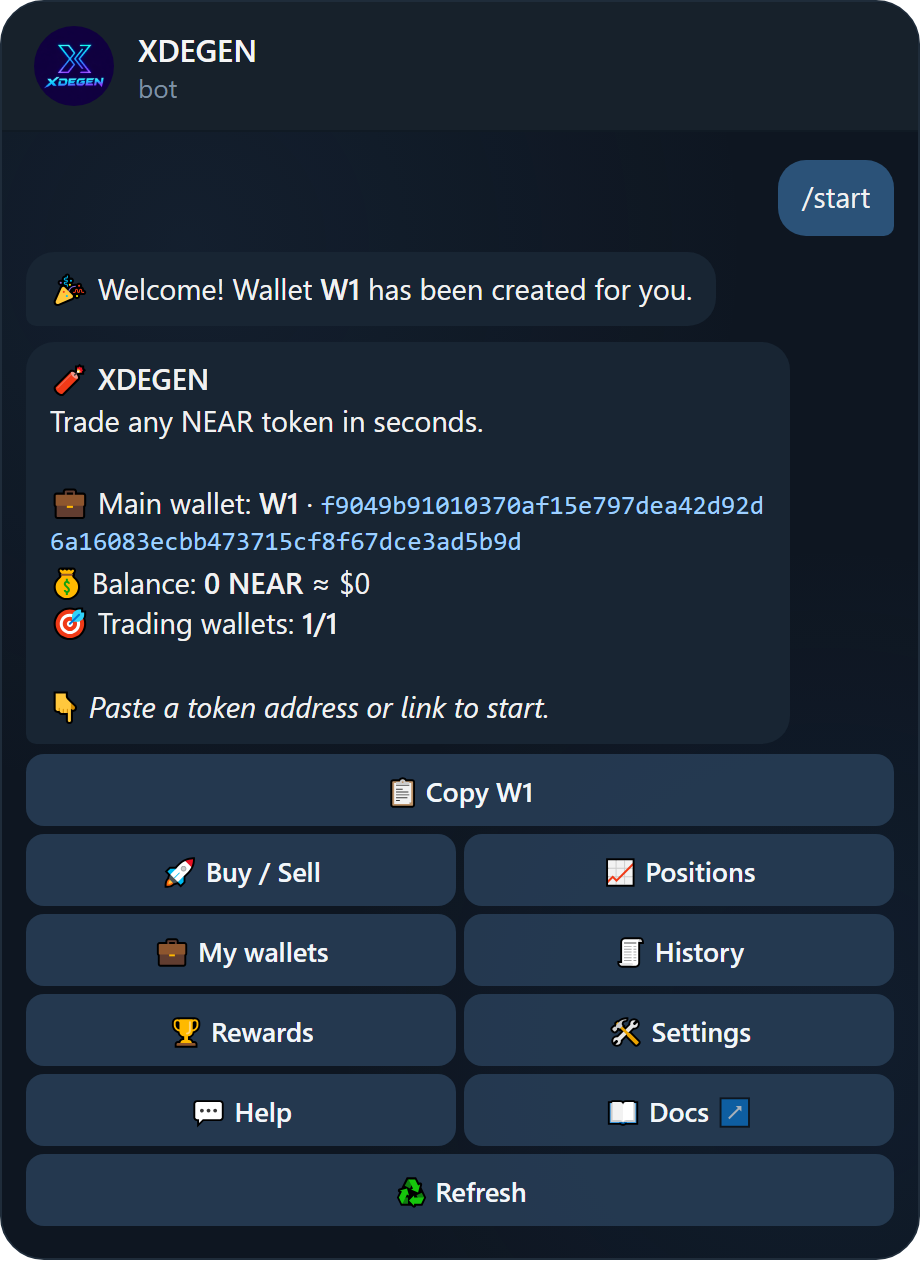
- Tap Start. A wallet called W1 is created for you instantly and shown on the main menu.
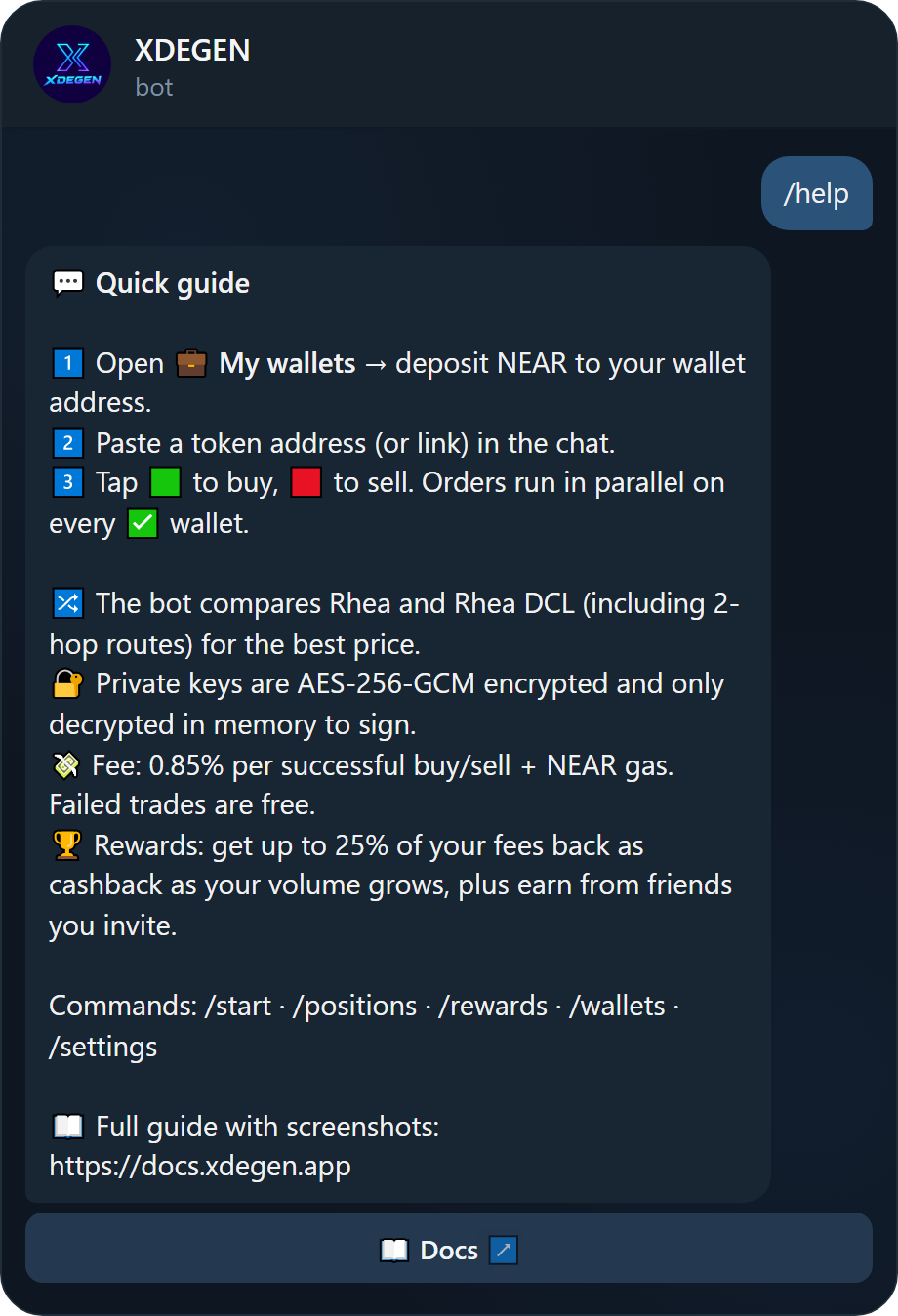
- Deposit NEAR. Tap 📋 Copy W1 and send NEAR to that address from any wallet or exchange (NEAR mainnet). The wallet activates on the first deposit.
- Paste a token. Send a token contract or link in the chat. The token panel opens.
- Tap buy. Pick an amount like 🟩 Buy 0.5 NEAR. Done.
/start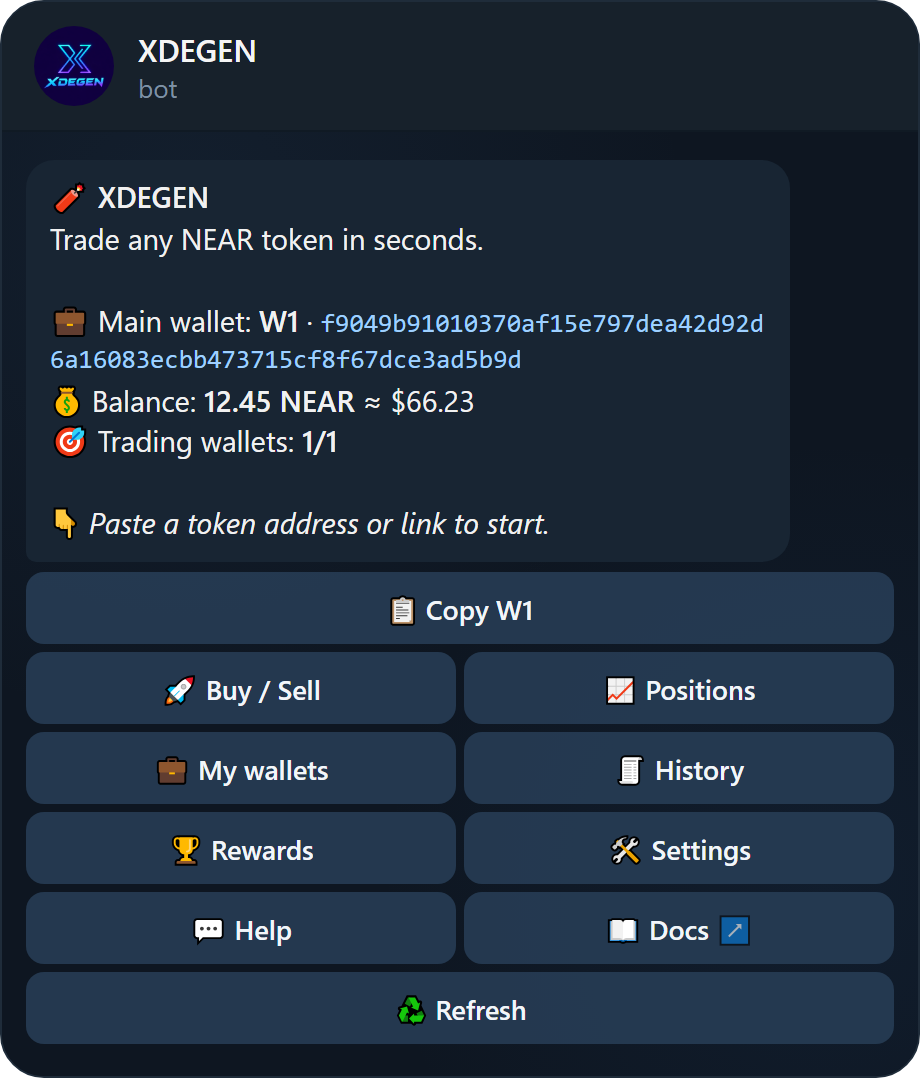
The main menu
| Button | What it does |
|---|---|
| 🚀 Buy / Sell | Asks for a token to open its trading panel. |
| 📈 Positions | All your tokens with value and PnL. See Positions. |
| 💼 My wallets | Create, import, fund and manage wallets. See Managing wallets. |
| 🧾 History | Your last 20 trades with links to the transactions. |
| 🏆 Rewards | Cashback, referrals and withdrawals. See Rewards. |
| 🛠 Settings | Slippage, quick-trade buttons and automations. See Settings. |
Commands
/start menu · /wallets · /positions · /orders · /rewards · /settings · /help
You can paste a token at any time, from any screen. No need to go back to the menu first.
Managing wallets
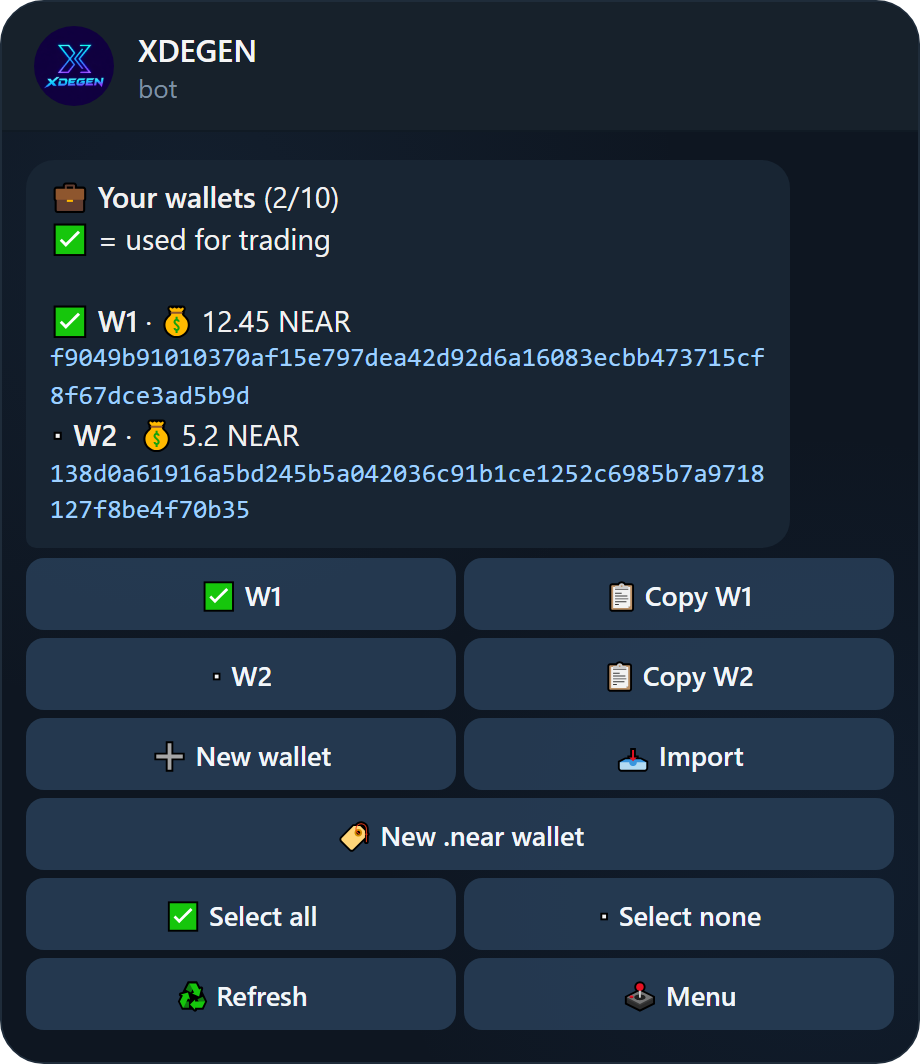
Hold up to 10 wallets and choose which ones trade. Each is a normal NEAR account that you can export at any time.
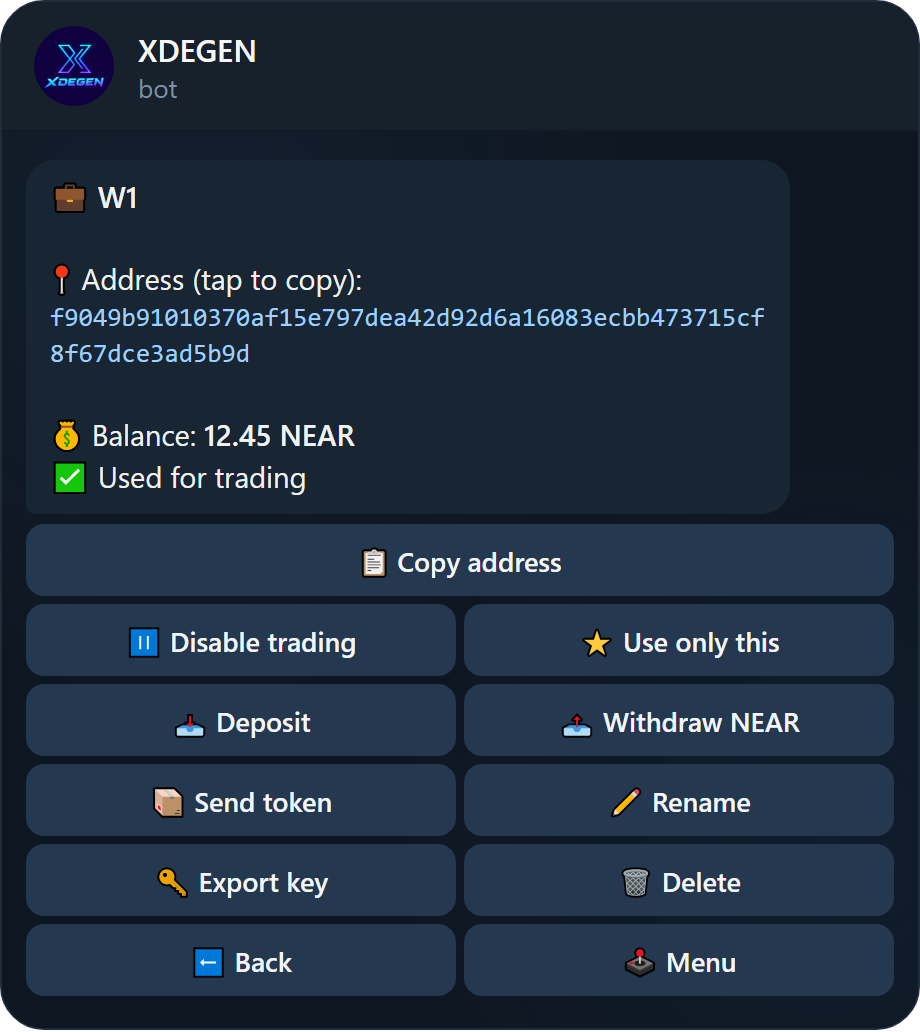
Trading wallets (✅)
A ✅ in front of a wallet means it is used for trading. When you tap buy or sell, the order runs in parallel on every ✅ wallet. Tap a wallet in the list to switch it on or off, or use ✅ Select all / ▫️ Select none. On a wallet's page, ⭐ Use only this makes it the only trading wallet.
Add a wallet
- ➕ New wallet creates a fresh wallet (a 64-character implicit address) instantly.
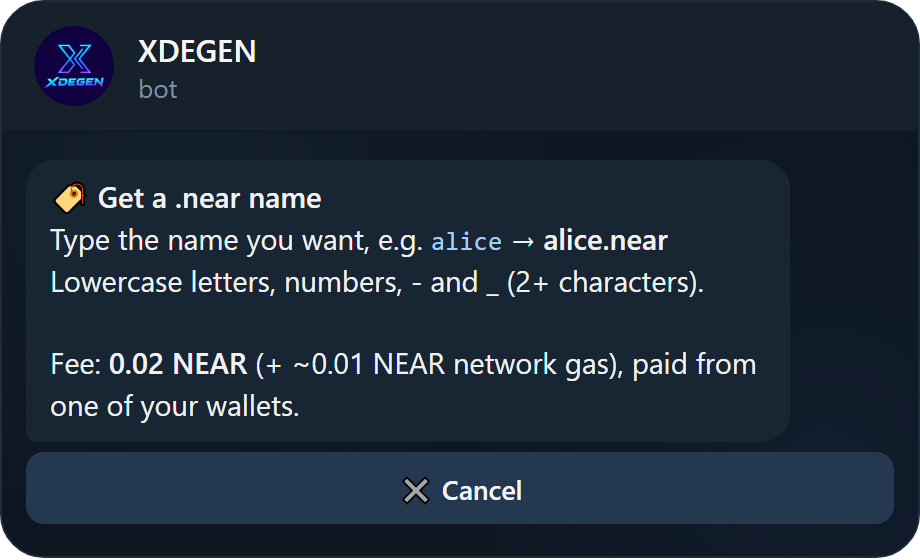
- 🏷 New .near wallet creates a wallet with a readable name like
alice.nearfor 0.02 NEAR, paid from one of your wallets. - 📥 Import adds an existing wallet from a private key (
ed25519:…) or a 12-word seed phrase. If the key controls several accounts, you pick which one.
.near name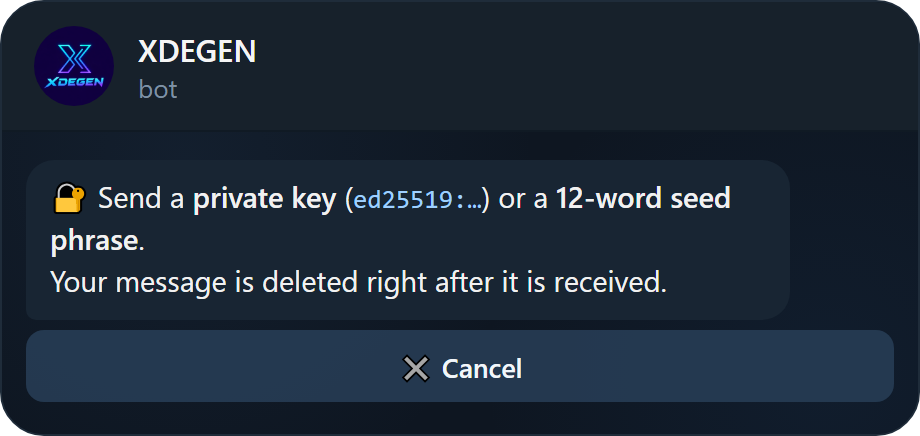
Wallet actions
| Button | What it does |
|---|---|
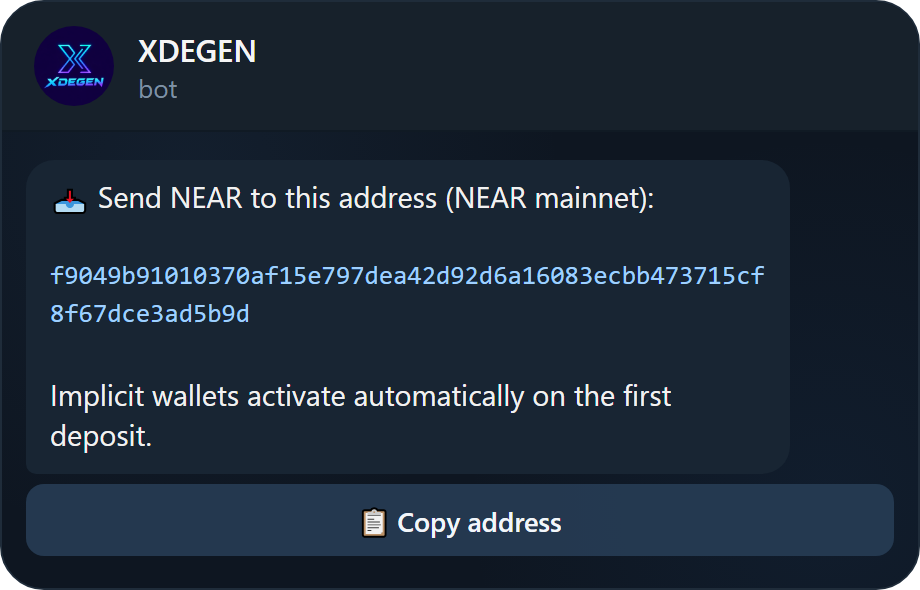
| 📥 Deposit | Shows the address to send NEAR to. |
| 📤 Withdraw NEAR | Sends NEAR to any address. Type an amount or max. |
| 📦 Send token | Sends a token: token_id receiver amount, e.g. nearly-993927.nearlytrade.near bob.near 100. |
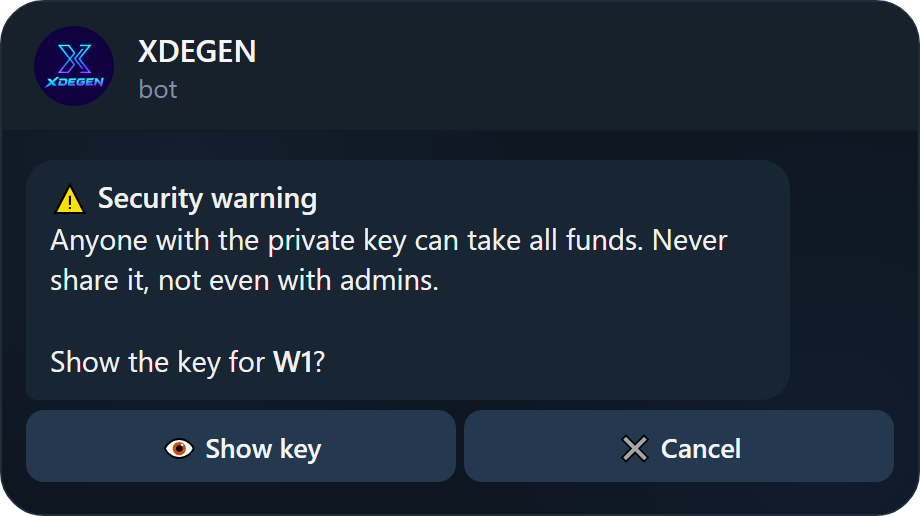
| 🔑 Export key | Shows the private key after a warning. The message deletes itself after 60 seconds. |
| ✏️ Rename | Give the wallet a name up to 16 characters. |
| 🗑 Delete | Removes the wallet from your list. The key stays backed up; re-import it to restore. |
Buying & selling
Paste a token, check the panel, tap a button. That is the whole flow.
The token panel
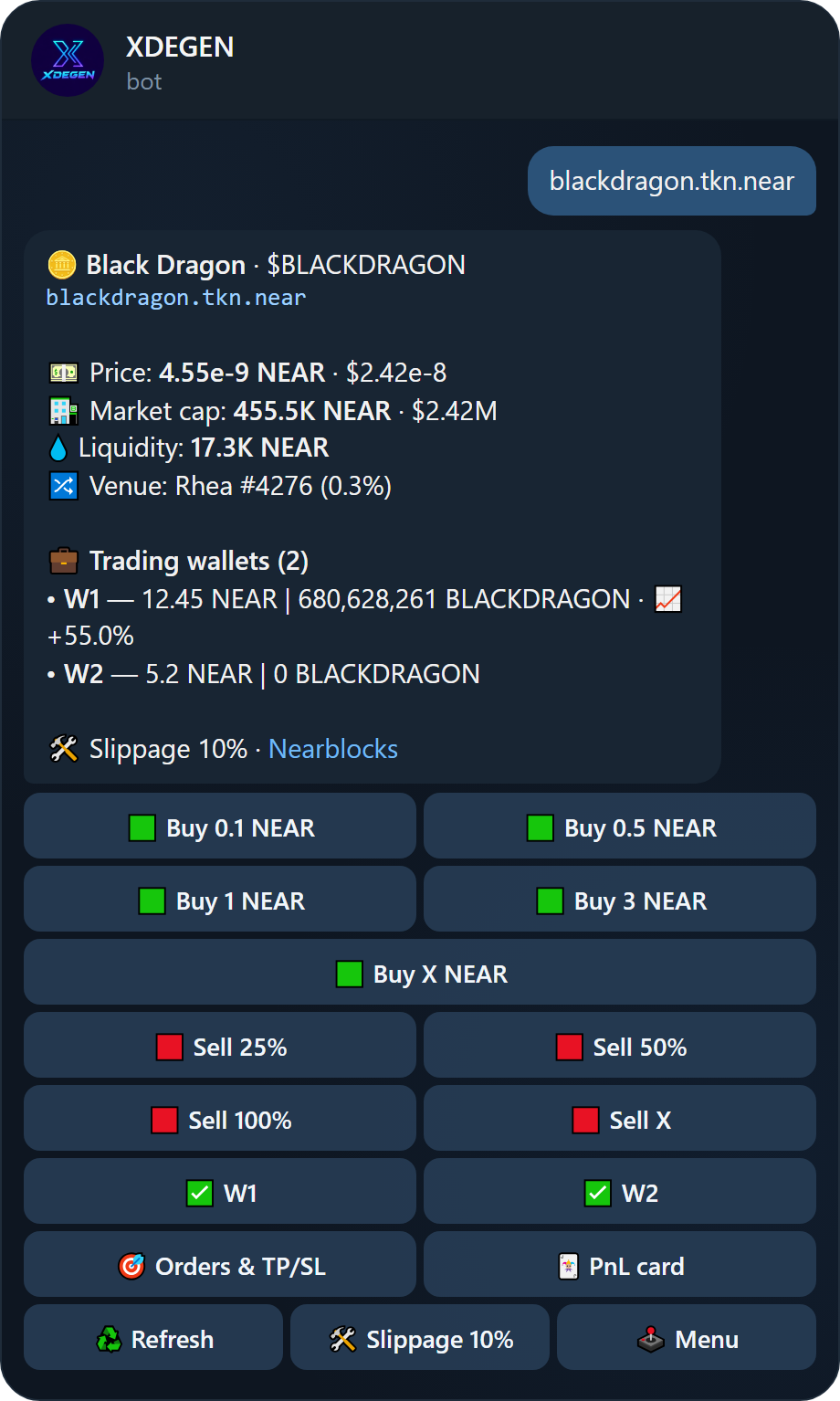
Send a contract id or link and XDEGEN opens the token's panel with live data:
- Price in NEAR and USD, market cap, liquidity and the venue it trades on.
- Each trading wallet with its NEAR balance, token balance and PnL on this token.
- Quick buttons for buying, selling, orders and your PnL card.
Buying
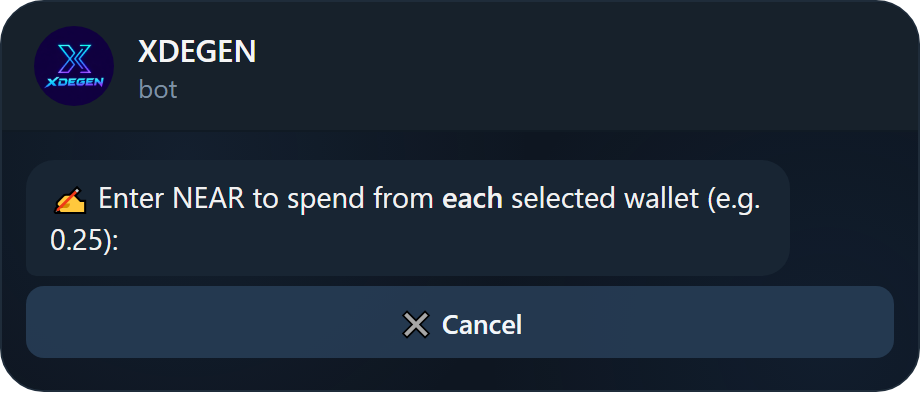
- Tap a preset such as 🟩 Buy 0.5 NEAR. The amount is spent from each ✅ wallet.
- Or tap 🟩 Buy X NEAR and type any amount.
- Change the preset amounts in Settings → Edit buy buttons.
Selling
- Tap 🟥 Sell 25%, 🟥 Sell 50% or 🟥 Sell 100% of the position in every ✅ wallet.
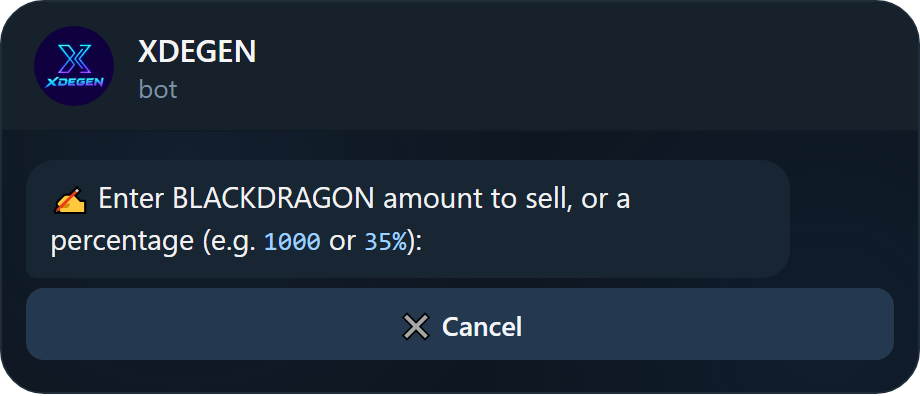
- Or tap 🟥 Sell X and type a token amount (
1000) or a percentage (35%). - What you receive comes back as native NEAR.
Trade results
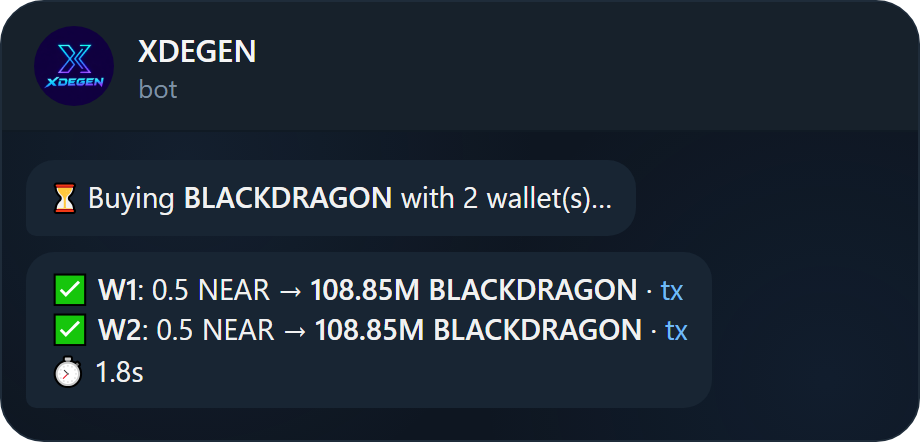
Each wallet reports back on its own line with the amounts and a link to the transaction, plus how long the whole trade took.
Slippage
Slippage is the most the price may move against you while the trade executes. The default is 10%, and buy and sell slippage can be set separately.
If the price moves further, the pool cancels the trade, your funds are refunded and no fee is charged. XDEGEN tells you within seconds, with one-tap buttons to raise the slippage and trade again.
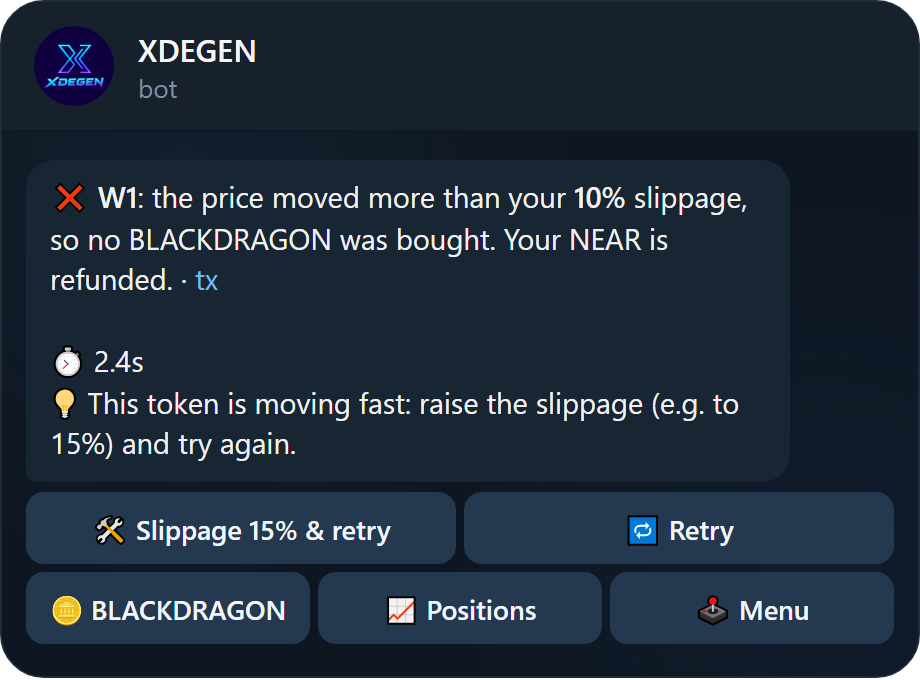
Fast-moving launchpad tokens often need 15–25% slippage. Stop-loss orders use your sell slippage, so a slightly higher value helps them fill during fast drops.
When the network is slow
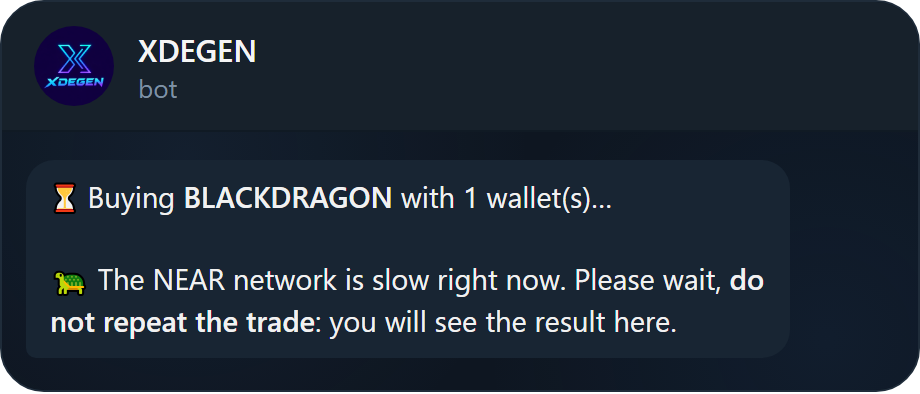
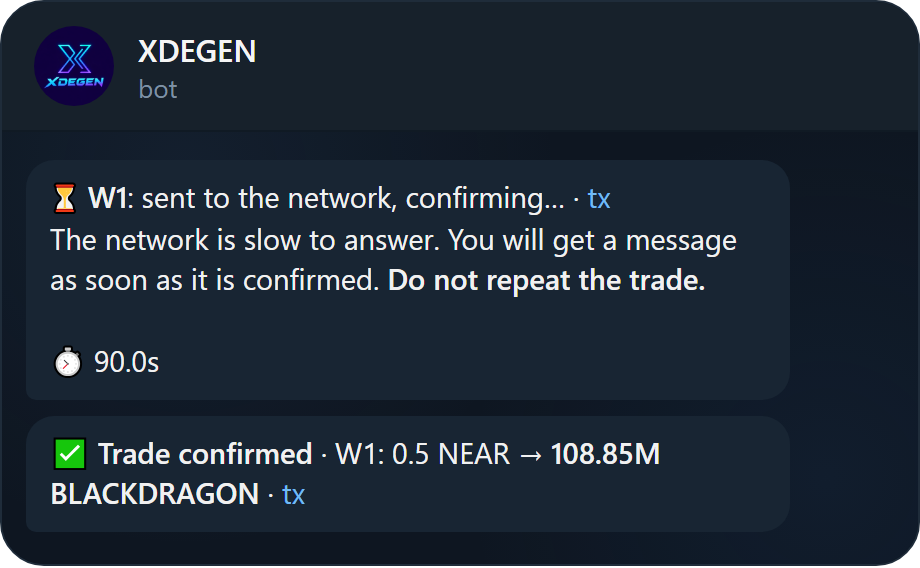
When NEAR is congested, a trade can take longer than usual. XDEGEN never leaves you guessing:
- After 5 seconds without a result, the bot tells you the network is slow.
- If the network still has not answered, the trade shows ⏳ confirming. XDEGEN keeps checking and messages you the final result.
- Do not repeat the trade while it is confirming: it may already have gone through.
Positions & PnL cards
Every token you hold, across all wallets, with its value and profit.
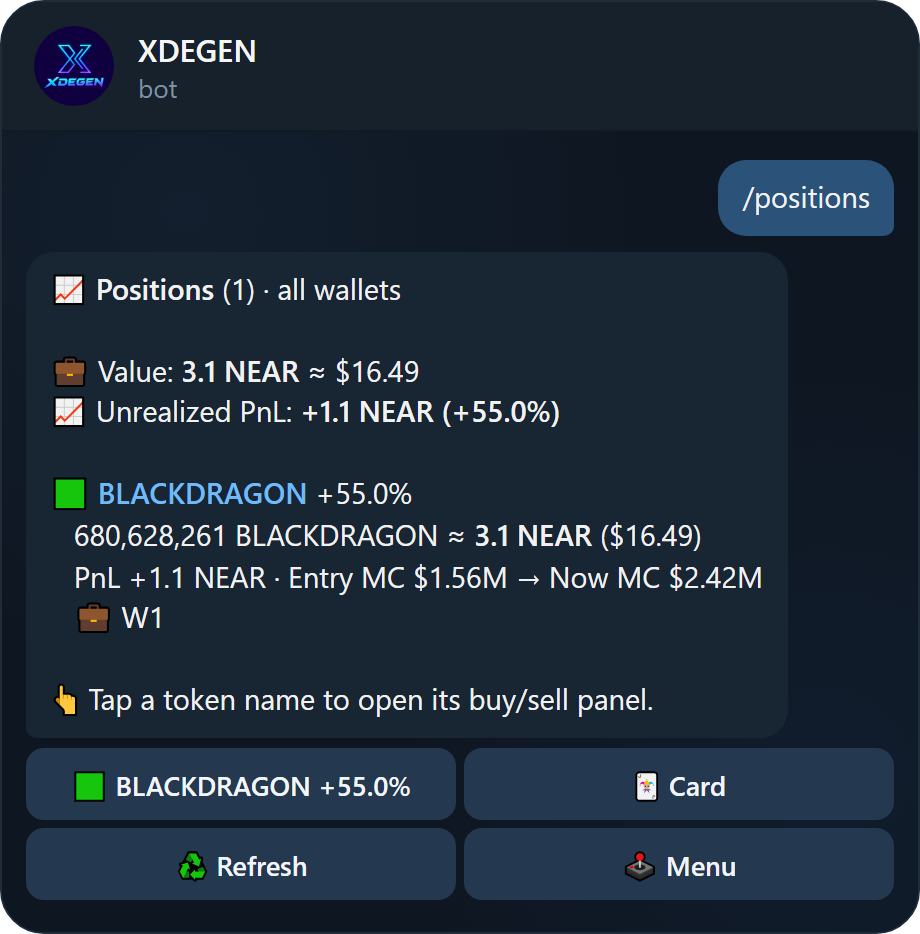
/positionsReading a position
- Value: what the tokens are worth now, in NEAR and USD.
- PnL: profit or loss against what you paid through the bot, in NEAR and %.
- Entry MC → Now MC: the market cap when you bought versus now, the quickest way to see how far a token has run.
- 💼 which wallets hold it.
- At the top: total value, unrealized PnL (open positions) and realized PnL (what you already sold).
Tap a token name to jump straight to its trading panel. Tiny dust balances are hidden to keep the list clean.
PnL cards
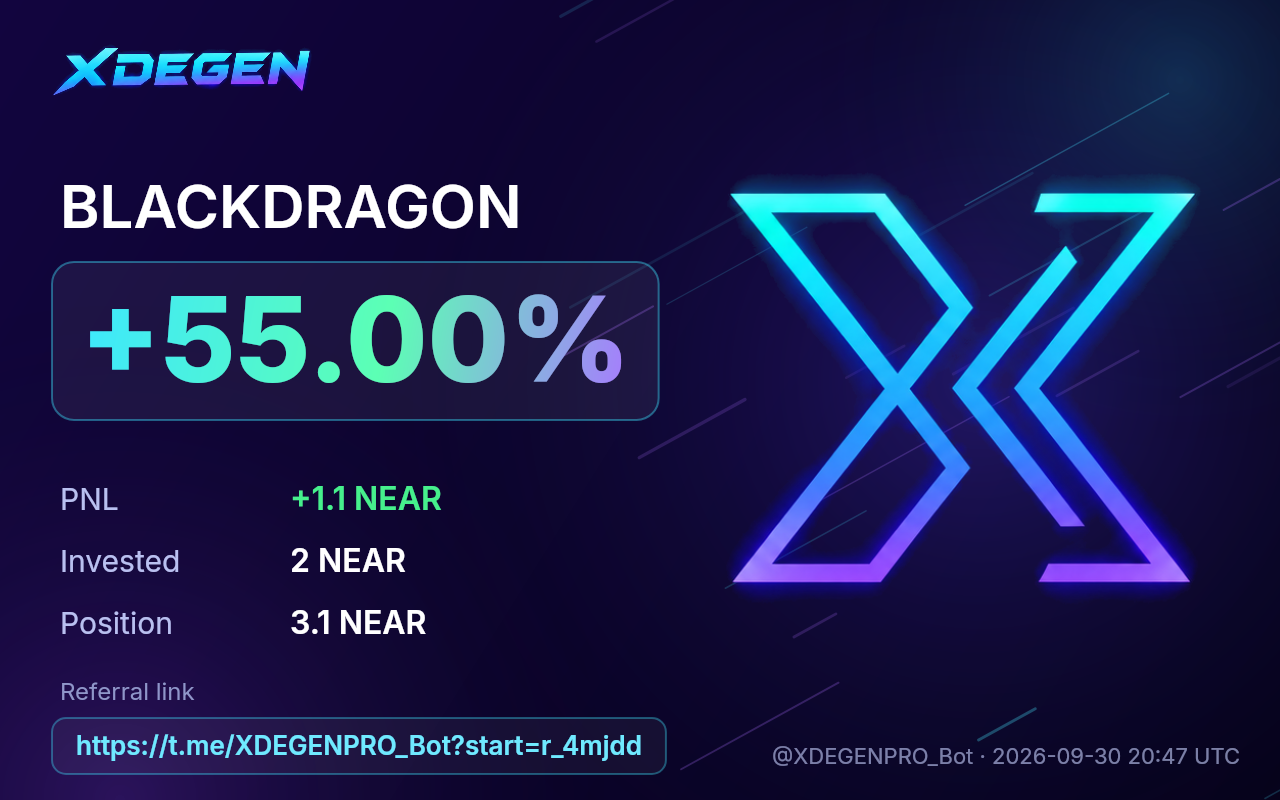
Tap 🃏 Card next to a position (or 🃏 PnL card on the token panel) to get a shareable image of your trade. Your referral link is printed on it, so anyone who joins from your post earns you rewards.
Limit orders, TP & SL
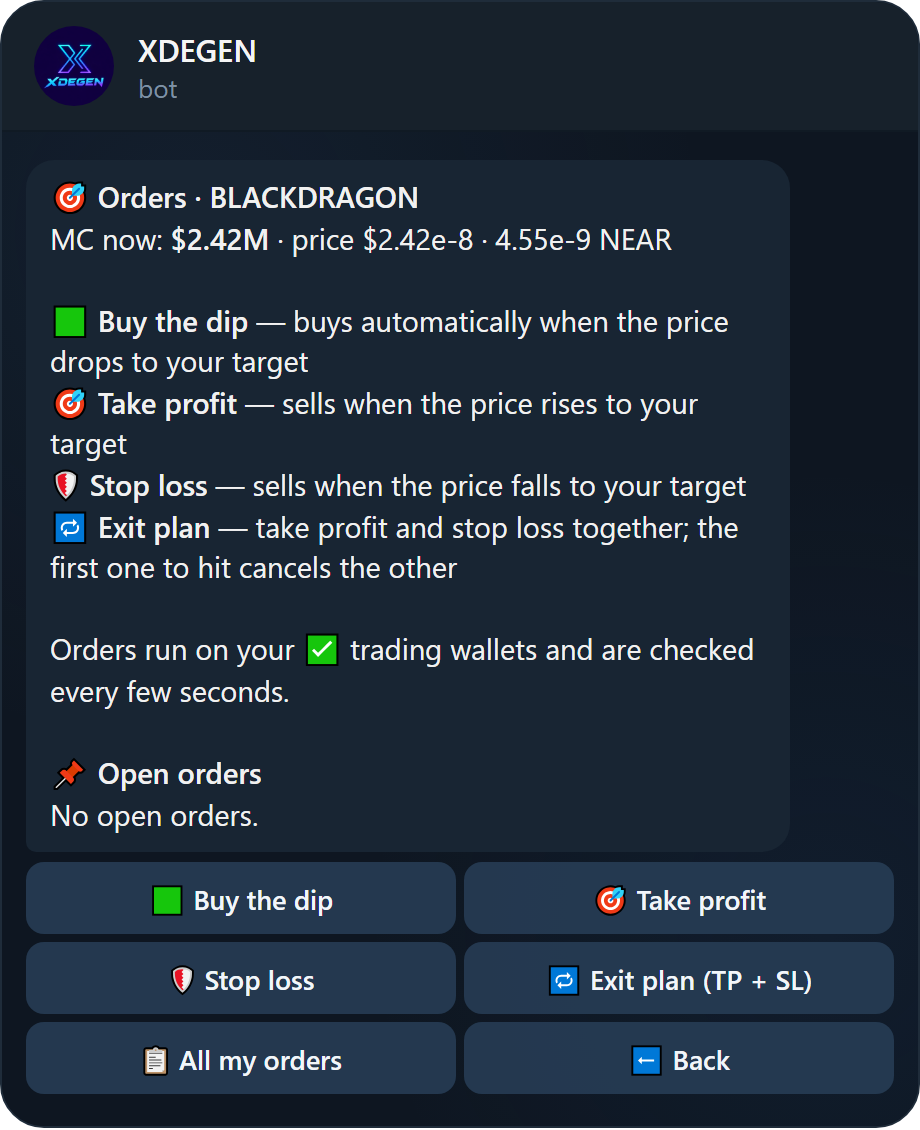
Set a target and walk away. XDEGEN checks prices every few seconds and trades for you the moment a target is hit.
| Order | What happens |
|---|---|
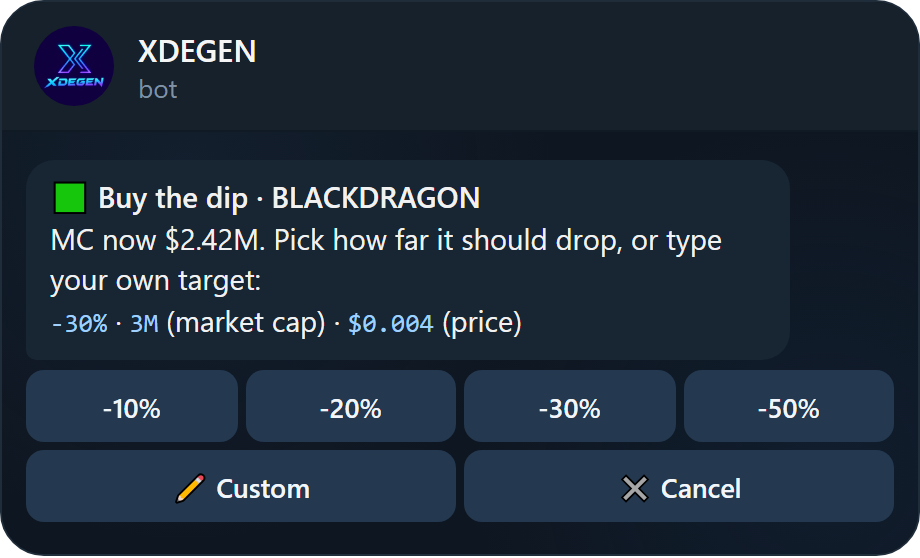
| 🟩 Buy the dip | Buys automatically when the price drops to your target. |
| 🎯 Take profit | Sells when the price rises to your target. |
| 🛡 Stop loss | Sells when the price falls to your target. |
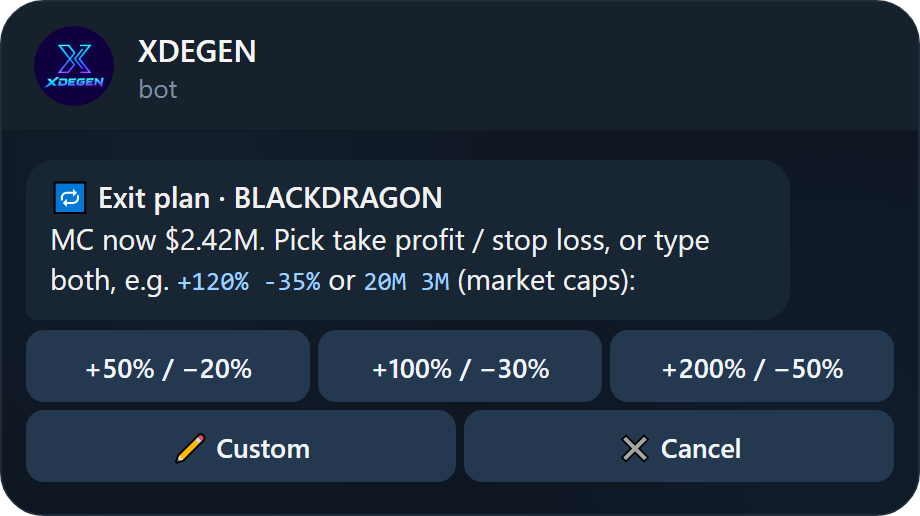
| 🔁 Exit plan | Take profit and stop loss together. The first one to hit cancels the other. |
Setting a target
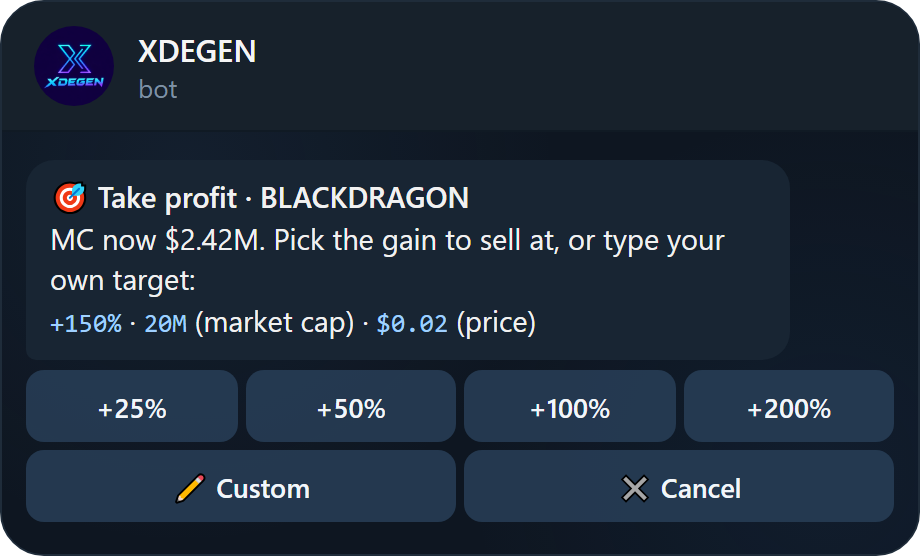
Pick one of the suggested levels or type your own. Three formats are understood:
| Type | Examples | Meaning |
|---|---|---|
| Percent | +150% -30% | Relative to the current price. |
| Market cap | 20M 500K 1.2B | Market cap in USD. Most traders think in MC, so every order is shown in MC too. |
| Price | $0.004 | Token price in USD. |
A take profit must be above the current market cap; a dip buy or stop loss below it.
- Tap 🎯 Take profit and choose a gain, e.g. +25%.
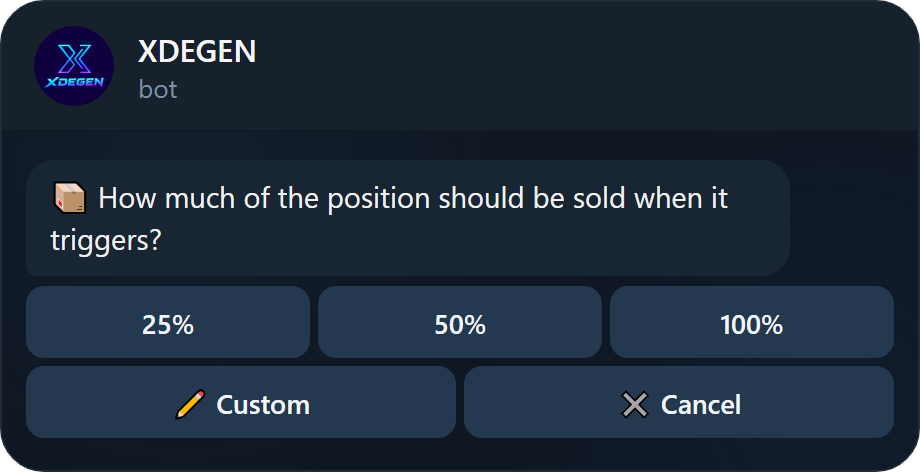
- Choose how much of the position to sell, e.g. 100%.
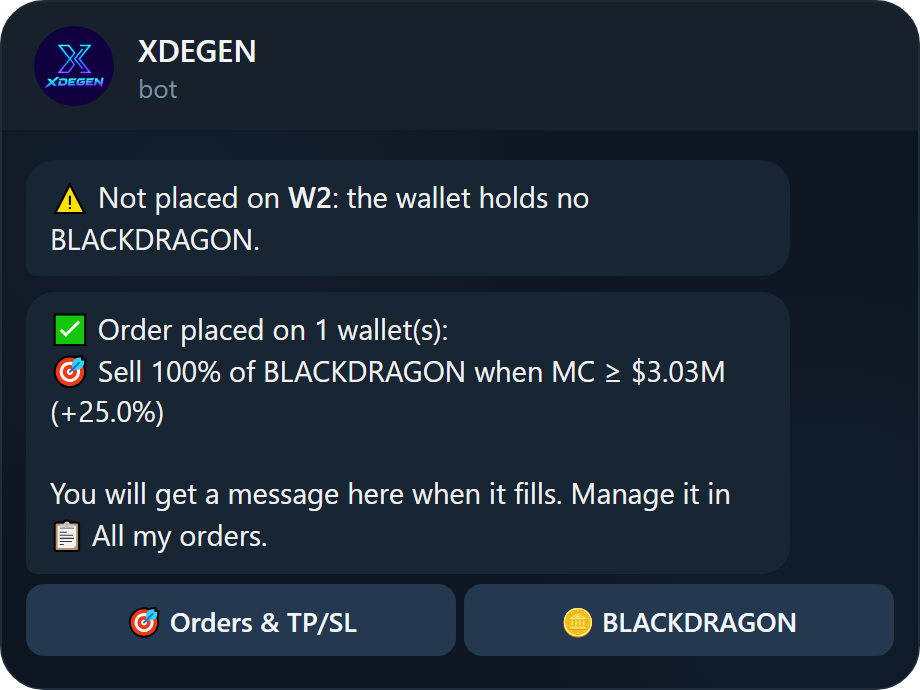
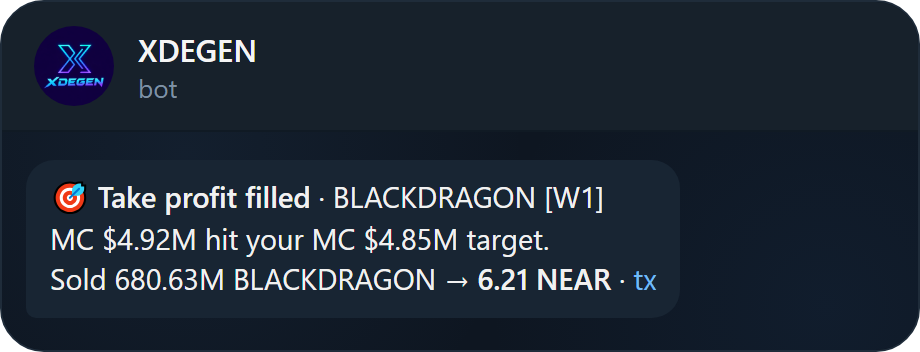
- The order is placed on every ✅ wallet. You get a message when it fills.
Exit plan and dip buys
An exit plan sets both legs at once. Type both targets in one message, e.g. +120% -35% or 20M 3M. For a dip buy, you also choose how much NEAR each wallet spends when it triggers.
Managing orders
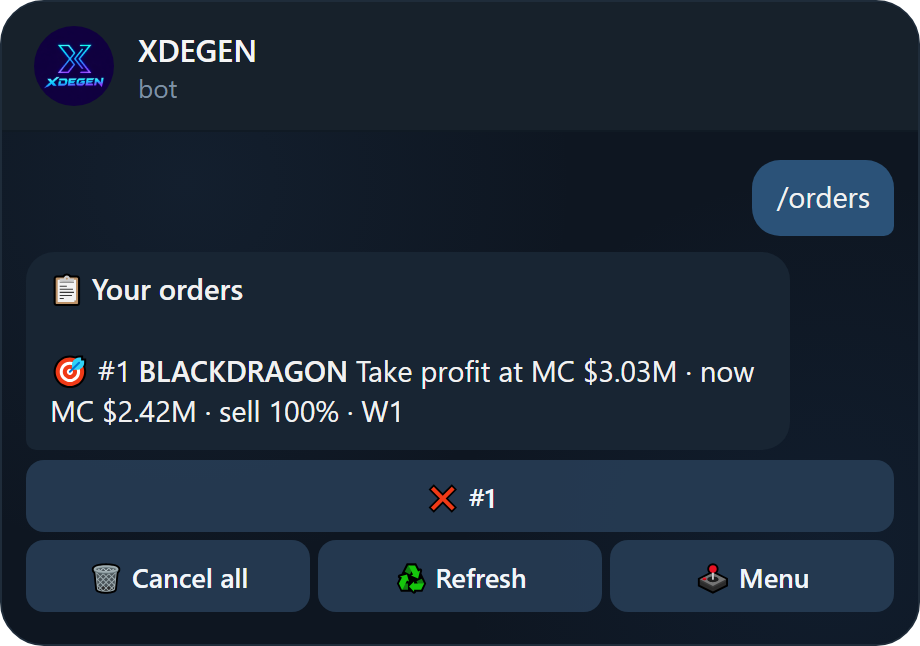
Send /orders or tap 📋 All my orders to see every open order with its target and distance from the current market cap, plus recent fills. Cancel one order or all of them from there.
Order rules
- Dip buy: minimum 0.5 NEAR per wallet, and the wallet must hold that NEAR plus ~0.12 NEAR for gas.
- Take profit / stop loss: the wallet must hold the token. Wallets that cannot back an order are skipped, and the bot tells you which.
- Order cancelled? If a wallet no longer has the NEAR or the token, its orders are cancelled and you get a message.
- Speed: orders near their target (within 15%) are checked every 4 seconds; orders further away every 30 seconds.
- Limits grow with your trading volume, and you can create up to 20 new orders per hour:
| Your trading volume | Open orders | Tokens with orders |
|---|---|---|
| New account | 5 | 3 |
| $100+ | 20 | 10 |
| $1,000+ | 50 | 50 |
The automatic exit plan after a buy is always placed, whatever your limit.
Settings & auto-trading
Tune how fast and how automatically you trade.
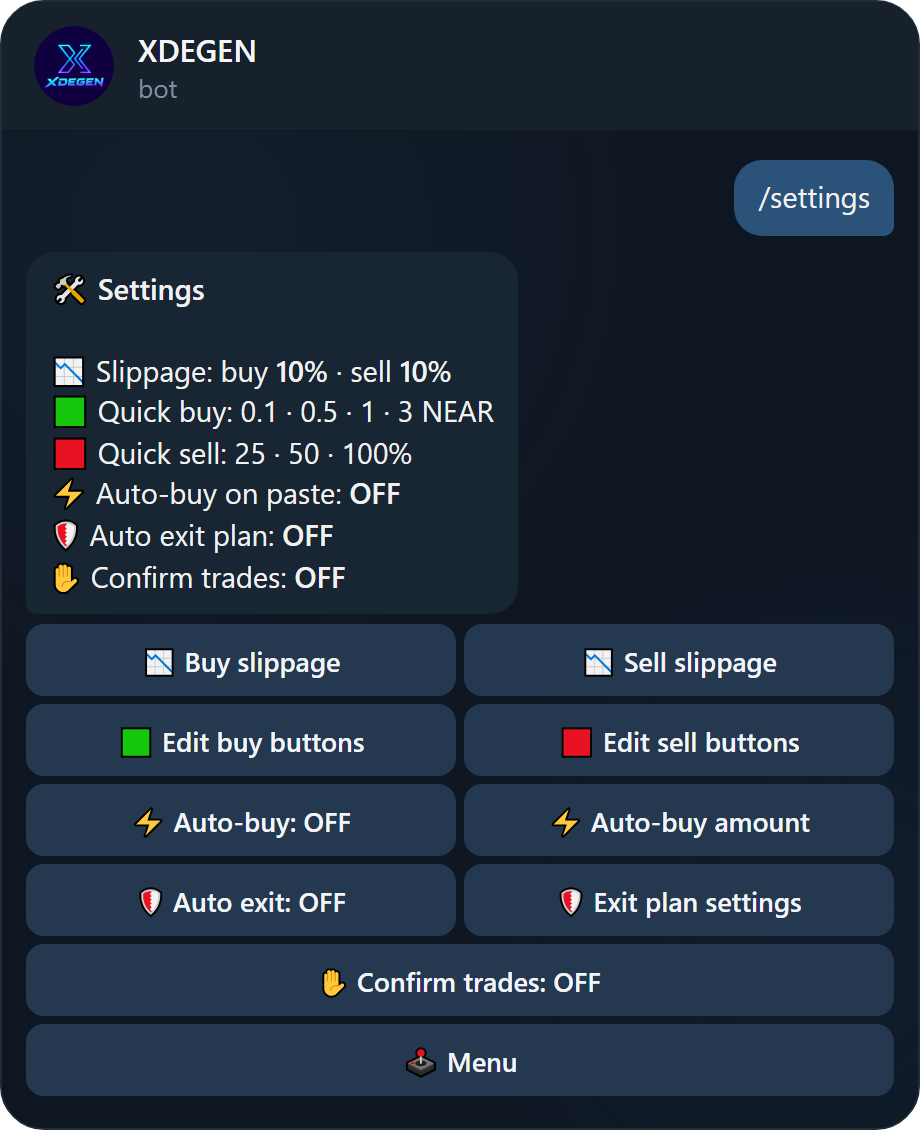
/settings| Setting | What it does |
|---|---|
| 📉 Buy / sell slippage | Maximum price movement allowed per trade (0.1 – 50%). Default 10%. |
| 🟩 Edit buy buttons | Up to 4 NEAR amounts for the quick buy buttons, e.g. 0.1 0.5 1 3. |
| 🟥 Edit sell buttons | Up to 4 percentages for the quick sell buttons, e.g. 25 50 100. |
| ⚡ Auto-buy on paste | Buys a set amount per trading wallet the moment you paste a token. Fastest way to catch a launch. |
| 🛡 Auto exit plan | Places a take profit and stop loss automatically after every buy. |
| ✋ Confirm trades | Asks for confirmation before each buy and sell. |
Setting up the auto exit plan
Tap 🛡 Exit plan settings and send three numbers, TP SL SELL, in percent:
100 30 100: take profit at +100%, stop loss at −30%, selling 100% of the position.0 25 100: stop loss only (0 skips a leg).
Turn it on with 🛡 Auto exit: OFF. From then on every buy gets its own exit plan, based on your entry price.
Auto-buy spends NEAR the moment you paste. Double-check the amount in Settings, and turn it off when you only want to look at tokens.
FAQ & troubleshooting
What the bot's messages mean and how to fix them.
| Message | What to do |
|---|---|
| Insufficient balance | NEAR holds about 0.11 NEAR of gas per trade (refunded right after). Keep a little extra NEAR in the wallet. |
| Not enough NEAR for gas | Keep about 0.12 NEAR in the wallet to be able to sell. |
| Wallet not activated yet | New wallets activate on their first deposit. Send some NEAR to it first. |
| The price moved more than your slippage | Nothing was traded and your funds are refunded, with no fee. Tap 🛠 Slippage … & retry. See Slippage. |
| ⏳ Sent to the network, confirming… | The network is slow. Wait for the confirmation message and do not repeat the trade. |
| The minimum for a dip buy is 0.5 NEAR | Choose 0.5 NEAR or more per wallet. |
| Not placed on W2 | That wallet does not have the NEAR (dip buy) or the token (TP/SL). The order was placed on your other wallets. |
| Your account can have up to N open orders | Cancel some orders, or trade more to raise the limit. See Order rules. |
| Order cancelled: the wallet no longer has… | The wallet was emptied or the token sold. Place the order again once the wallet holds what it needs. |
| No liquidity pool found | The token has no pool with NEAR (or a supported base token) yet. Check the contract. |
| Select at least one wallet to trade | Turn on ✅ for a wallet in 💼 My wallets or on the token panel. |
| Too fast, try again | Wait a moment; the bot limits very rapid taps. |
Common questions
Why do I see wNEAR in my wallet?
Trades go through wNEAR (wrapped NEAR, always worth exactly 1 NEAR). XDEGEN turns it back into NEAR after every trade, and automatically cleans up any leftover within minutes. Your next buy also spends any wNEAR in the wallet first, so it is always usable. You do not need to do anything.
Do I own my wallets?
Yes. Each wallet is a normal NEAR account. Export its key from the wallet's page and import it into any NEAR wallet app.
Why is my PnL missing for a token?
PnL is calculated from buys made through the bot. Tokens you received from elsewhere show their value and market cap, marked "no buy history in the bot".
Can I trade from several wallets at once?
Yes. Every ✅ wallet executes the same trade in parallel. See Managing wallets.
How do I open a token from a link?
Paste any Nearblocks, Rhea, Pikespeak or Dexscreener link. You can also share a link that opens a token directly: write the contract with underscores instead of dots, e.g. https://t.me/XDEGENPRO_Bot?start=blackdragon_tkn_near.
/helpSupport
Stuck on something? Reach the team.
Message us through the bot: @XDEGENPRO_Bot
When you ask for help, include the transaction link from the bot's message (the tx link) and the wallet name. Never send your private key or seed phrase: support never needs it.
XDEGEN runs on NEAR mainnet. Screenshots are taken from the live bot; balances in them belong to demo wallets.